Brain Trust Technologies LLC
TOLL FREE: (877) 288-5527
  • Home
  • Why Brain Trust
    • Partners & Certifications
    • Affiliations
  • Services & Solutions
    • Managed Services
    • Hosted Solutions
      • Business Solutions
    • Hardware & Software Sales
    • Professional Services
    • Business Continuity
  • Blog
  • Resources
    • White Papers
    • Brain Trust Reports
    • Case Studies
    • Newsletter Archive
  • About Us
    • Referral Program
    • Contact Us
  • Support

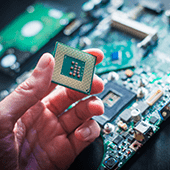
Enlist IT help when installing CPU updates
January 24, 2018 admin Security 2018january24security_c, chrome, edge, firefox, flaw, ie, Intel, linux, macos, meltdown, safari, security, spectre, vulnerability, windows

When it comes to security updates, time is usually of the essence. The longer you wait to install a fix from a vendor, the higher the risk of being compromised. But in the cases of the Meltdown and Spectre flaws, you might be better off waiting until a more reliable patch is released. Let’s review what’s going on and what the best course of action currently is.

Unsecured data storage

Spectre and Meltdown are the names given to two hardware flaws that allow hackers to see any piece of information stored on your computer. Although slightly different in execution, both take advantage of a hardware feature that computer chips use to access and store private information. For the last 20 years, security experts believed this information could not be stolen or spied on by malicious software, but that assumption was proven false on January 3, 2018.

Now that the Spectre and Meltdown vulnerabilities are public information, hackers can use them to create programs that steal passwords, social security numbers, credit card numbers, and anything else you type into your computer.

Because these problems are hardware-based, none of the updates will be able to secure the vulnerable storage; they’ll simply prevent your computer from storing anything in it. Currently, there are patches for:

  • Operating systems (Windows, macOS, and Linux)
  • Web browsers (Chrome, Firefox, Safari, Edge, and IE)
  • Chip firmware (low-level programs installed on the processor itself)

If you’re using an Apple computer, these updates are relatively easy to install. If you’re using a Windows or Linux-based computer, these patches may cause your machine to freeze, reboot unexpectedly, or significantly slow down.

Why should I wait to install the updates?

Intel, one of the chipmakers responsible for the Spectre and Meltdown flaws, has provided contradictory recommendations on more than one occasion. As recently as January 18, Intel recommended waiting for an updated patch, but in the same announcement also recommended “consumers to keep systems up-to-date.”

Experts believe detecting an attack that is based on one of these flaws will be relatively easy and represent an alternative to installing updates that could render your computer unusable.

What should I do?

IT support experts will be able to quickly and easily assess what is the best option for your computers. For example, our team can determine whether or not your hardware will conflict with the current patches, and either install them or set up a detection strategy that will help you mitigate the risks without ruining your computer.

If you need expert IT support for quick responses and ironclad security — give us a call today.

Published with permission from TechAdvisory.org. Source.

3 simple and easy cyber-security tips!

January 22, 2018 admin Hardware 2018january22hardware_c, authentication, cybersecurity, data protection, easy security, two-factor, webcam

Data security and privacy should be a top priority in this age of constant and downright dangerous cyber attacks. However, in your quest for ultimate security, don’t forget to implement these non-technical steps to shield your business’s IT resources.

Cover up your webcam

There must be some credibility to doing this if Facebook founder, Mark Zuckerberg, former FBI director, James Comey, and NSA whistleblower Edward Snowden all believe their webcams could be compromised. This is not just another paranoid celebrity reaction to ruthless paparazzi, there’s a genuine reason behind it. Kindly take a moment to consider the following scenario: hackers using your webcam to spy on you.

Though it might sound unrealistic, this actually happened on several occasions. Sometimes for purely voyeuristic reasons and sometimes what appeared to be espionage. This is a very real threat with disturbing repercussions. Hackers aim to gain personal information based on your surroundings, deduce your location, as well as spy on the people you’re with, ultimately using this information to hold you ransom, threatening to broadcast your most intimate and vulnerable moments if you don’t pay up.

Fortunately, guarding yourself against such danger is really easy and some painter’s tape over your webcam should do the trick. If you’re not confident about regular tape, you can purchase a cheap webcam cover online or at any hardware store.

Purchase a privacy shield

Think of privacy guards as those iPhone scratch protectors, but with an anti-snooping feature. These are thin covers you put on your computer, laptop or smartphone screen to limit viewing angles. Once installed, anyone trying to look at your screen from anywhere — except straight-on — sees nothing. Privacy filters are commonly used to protect work devices, particularly which display or contain critical files with sensitive data or confidential information. However, less sensitive, personal devices are still vulnerable to ‘shoulder surfing’ — the act of peeking at someone else’s screen, with or without ill intent, which is why we recommend using these protectors on all your devices.

Use a physical authentication key

Requiring more than one set of credentials to access sensitive resources is common sense, and has become standard practice for established online services. With something called two-factor authentication in place, you gain access to your account only after you’ve entered the authentication code, which the website sends to your smartphone once you’ve entered your account credentials. Until recently, two-factor authentication relied mostly on text messages that were sent to mobile phones. But professionals have now realised that phones can be hijacked to redirect text messages.

Moreover, authentication codes can be stolen, or users can be tricked into entering these codes via a convincing phishing website. If you’re looking for authentication services that cannot be hijacked, stolen or lost, your best bet is a USB or Bluetooth key you can carry on your keychain. This means nobody — not even you — will be able to access your account without the physical key. Ultimate security at your fingertips.

If you need help setting up two-factor authentication, or any IT security services, contact our experts and experience true peace of mind as we fortify your data to no end.

Published with permission from TechAdvisory.org. Source.

Should you use UPS for your network gear?

January 18, 2018 admin Business 2018january18business_c, disaster recovery and backup planning, network equipment, productivity, wi-fi

Smart business owners use uninterruptible power supply (UPS) for emergency situations like a storm, fire, or other disasters. Often, a UPS is deployed for desktop computers to give employees ample time to save their work and prevent losing unsaved work. An even better power-saving strategy in emergency situations, however, is to use UPS for networking equipment.

UPS for network equipment

UPS systems provide backup power in case of outages and protect against power surges, which don’t just damage computers but also make you lose unsaved work. Deploying them for Wi-Fi routers and modems allows you to stay connected to the internet in what is typically a chaotic time.

Moreover, it makes sense to not just keep your PCs powered up, but to also have internet access during a disaster. This strategy works relatively well if your staff are predominantly laptop users, as that means you only need to juice up your Wi-Fi gear.

Better than generators

Although generators are indispensable for certain businesses, they also require greater upkeep. Small- and mid-sized businesses may not have enough capacity to maintain them because they typically require a utility crew who can manage high-maintenance equipment.

What’s more, extreme mishaps when misused or mishandled could result in generator-related fatalities. On the other hand, misusing a UPS unit could result in the loss of a day’s work, but it’s unlikely to lead to anything as extreme.

Why internet access is important during a disaster

UPS-supported modems or routers help you stay online for as much as 90 minutes, which should be enough time to get your bearings before power finally runs out. Internet service providers are usually prepared for catastrophes and would normally have an emergency power source to stay operational. And if you can stay online via Wi-Fi during an emergency, you get the following benefits:

  • Internet speed that’s faster than cellular access
  • No extra telecom costs resulting from overreliance on cellular data
  • All devices stay online using a stable Wi-Fi connection
  • Devices don’t have to rely on cellular data-equipped phones for internet connection

Plug in your network gear now

Businesses that aren’t located in disaster-prone areas probably don’t give much thought to installing UPSs for their computers, let alone their modems. But accidents and emergencies are inevitable. And when they happen, you’ll find that having internet access is one of the most important things you need to ensure business continuity.

Think of an emergency power supply source like a UPS as an investment that not just protects your systems from data loss but also keeps your Wi-Fi equipment functioning in emergency scenarios. Call us today for productivity-saving tips and other hardware hacks for your business.

Published with permission from TechAdvisory.org. Source.

«‹ 9 10 11 12›»
Brain Trust Technologies LLC

6749 S. Westnedge Ave
Suite K, #128
Portage, MI 49002-3556

Toll Free: (877) 288-5527

SMS Terms of Service | SMS Privacy Policy

© 2026 Brain Trust Technologies, LLC. All Rights Reserved