Brain Trust Technologies LLC
TOLL FREE: (877) 288-5527
  • Home
  • Why Brain Trust
    • Partners & Certifications
    • Affiliations
  • Services & Solutions
    • Managed Services
    • Hosted Solutions
      • Business Solutions
    • Hardware & Software Sales
    • Professional Services
    • Business Continuity
  • Blog
  • Resources
    • White Papers
    • Brain Trust Reports
    • Case Studies
    • Newsletter Archive
  • About Us
    • Referral Program
    • Contact Us
  • Support

No Ransom: a place for free decryption
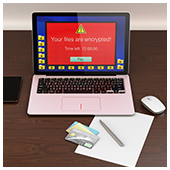
March 22, 2017 admin Security 2017march22security_c, cybersecurity, malware, prevention tips, ransomware

2017March22Security_CAlthough a ransomware infection might feel targeted, you’re not the only one who’s been infected. Ransomware is spreading at an alarming rate, but the further it goes, the more resources are allocated to fighting it. If your data is held hostage, always check these lists for free decryptors first.

The state of ransomware in 2017

It’s been almost 30 years since malware was first created that could encrypt locally-stored data and demand money in exchange for its safe return. Known as ransomware, this type of malware has gone through multiple periods of popularity. 2006 and 2013 saw brief spikes in infections, but they’ve never been as bad as they are now.

In 2015, the FBI estimated that ransomware attacks cost victims $24 million, but in the first three months of 2016 it had already racked up more than $209 million. At the beginning of 2017, more than 10% of all malware infections were some version of ransomware.

Zombie ransomware is easy to defeat

Not every type of infection is targeted to individual organizations. Some infections may happen as a result of self-propagating ransomware strains, while others might come from cyber attackers who are hoping targets are so scared that they pay up before doing any research on how dated the strain is.

No matter what the circumstances of your infection are, always check the following lists to see whether free decryption tools have been released to save you a world of hurt:

  • Kaspersky Lab’s No Ransom list
  • Avast’s free decryption tools
  • Trend Micro’s Ransomware File Decryptor
  • Fightransomware.com’s Breaking Free list

Prevention

But even when you can get your data back for free, getting hit with malware is no walk in the park. There are essentially three basic approaches to preventing ransomware. First, train your employees about what they should and shouldn’t be opening when browsing the web and checking email.

Second, back up your data as often as possible to quarantined storage. As long as access to your backed-up data is extremely limited and not directly connected to your network, you should be able to restore everything in case of an infection.

Finally, regularly update all your software solutions (operating systems, productivity software, and antivirus). Most big-name vendors are quick to patch vulnerabilities, and you’ll prevent a large portion of infections just by staying up to date.

Whether it’s dealing with an infection or preventing one, the best option is to always seek professional advice from seasoned IT technicians. It’s possible that you could decrypt your data with the tools listed above, but most ransomware strains destroy your data after a set time limit, and you may not be able to beat the clock. If you do, you probably won’t have the expertise to discern where your security was penetrated.

Don’t waste time fighting against a never-ending stream of cyber attacks — hand it over to us and be done with it. Call today to find out more.

Published with permission from TechAdvisory.org. Source.

OMS: The best way to organize online sales

March 17, 2017 admin Business 2017march17business_c, business value, cloud software, ecommerce, oms, order management system

2017March17Business_CThere are so many variables that go into order fulfillment and shipping that it’s no wonder an entire field has sprung up around streamlining these processes. If you’re looking for a great way to add value to your business, an order management system may be just the thing for you.
First off, we need to clarify that inventory management systems (IMSs) are not the same as order management systems (OMSs). The former is a solution for analyzing your sales history as a means to forecast demand for your product and the materials you will need in the future, while the latter is all about the here and now.

What does an OMS do for you?

One of the toughest things about managing an eCommerce store is juggling a growing number of sales, each at totally different steps in your shipping process. An OMS service is all about organizing your orders into a coherent and manageable workflow. Here are just some of the difficulties it helps you wrangle:

  • Your eCommerce store can be connected to your inventory. If something is out of stock, it can be reflected on your site so customers aren’t misled about the availability of your product.
  • Payment authorizations can be automated and integrated with your shipping services.
  • You can provide reports to your customers about their order’s shipping status. From intra-warehouse movements to on-the-truck updates, one page will have all the information they need.
  • Products and materials can be automatically restocked once they dip below a certain threshold.
  • Refund and returns can be automatically processed by your OMS.

And like any industry, there are dozens of OMS platforms with niche functionalities that may be better for your specific business model. The most important thing is that you find a solution that decreases the most tedious organizational tasks for tracking your store’s orders.

The cloud-based OMS

Orders are streaming in at all hours of the day, and you can’t guarantee that you’ll always be in the office when you need to check the status of an order. A cloud-based OMS stores all your information in a centralized location so you can access your information from home, the warehouse floor, or even while waiting for takeoff.

The cloud is generally one of the most reliable ways to add value to your business. There are dozens of platforms, just like OMSs, that require virtually no hardware and allow you to pay for exactly what you use. For advice on which solutions are best for your business, and how to deploy them, call us today.

Published with permission from TechAdvisory.org. Source.

Why your business needs a hardware firewall

March 15, 2017 admin Hardware 2017march15hardware_c, Cloud Security, cybersecurity, firewalls, malware

2017March15Hardware_CCybersecurity is one of the final bastions of hardware superiority. More and more IT solutions are being hosted in the cloud, and business owners are being told that software is all they need to get the job done, which is half true. When it comes to perimeter security you definitely need a hardware firewall, with a little something extra…

Software firewalls

Calling a piece of software a “firewall” is a bit of an exaggeration. Installing it on a local hard drive is more like locks on a door than impenetrable walls. When data is scanned for threats by a software firewall, the information it contains has already been passed through your router, network switch, and finally your local hard drive.

Once the whole cycle has finished, software firewalls can prohibit risky activities based on blacklisted IP addresses, known malware definitions, and suspicious application requests.

Although these solutions do have value, they can’t guarantee that malware won’t spread to other systems before each packet of data can be scanned, unless they’re standing guard at your business’s gateway to the internet. And whenever the computer with the firewall is powered off, everything it protects is left unguarded.

Hardware firewalls

Because the drawbacks of a software-based firewall are centered around their inefficient network position, a hardware solution is the safer option. Hardware firewalls sit directly behind your router, so every single packet of data coming from the internet must pass through your gatekeeper before landing on any of your internal drives.

Most of these solutions include far more sophisticated controls than just web filtering and basic data scanning. Like most developments in the IT industry, newer hardware firewalls focus on “intelligent” functions that analyze huge datasets to recognize malware and cyberattacks based on irregular activities instead of relying solely on cataloged viruses and attack vectors.

Another benefit of hardware firewalls is that they’re always on. There’s no need to worry about whether the workstation hosting your solution will crash because these devices are built for 24/7 protection. The only downside to this type of solution is the level of monitoring and maintenance it requires. Hardware firewalls are extremely complex and managing them is no easy task.

“Cloud” firewalls

The most recent, and undoubtedly best, solution to network perimeter security are “cloud” firewalls. These are on-site pieces of hardware with software interfaces that can be managed remotely by certified security professionals.

This service model means that experts will monitor your network performance and security for anomalies while your team goes about its business as usual. No need for onsite tweaks and updates — all of it can be done remotely.

You may hear a lot of experts telling you that the age of on-site hardware has passed and everything can be done in the cloud. Remote administration may be the next wave in network services, but the need for hardware will never go away. If you need someone to manage your physical devices, contact us today.

Published with permission from TechAdvisory.org. Source.

«‹ 31 32 33 34›»
Brain Trust Technologies LLC

6749 S. Westnedge Ave
Suite K, #128
Portage, MI 49002-3556

Southwest Michigan: (269) 290-7137
St. Louis: (314) 558-0623
Toll Free: (877) 288-5527

SMS Terms of Service | SMS Privacy Policy

© 2025 Brain Trust Technologies, LLC. All Rights Reserved