Brain Trust Technologies LLC
TOLL FREE: (877) 288-5527
  • Home
  • Why Brain Trust
    • Partners & Certifications
    • Affiliations
  • Services & Solutions
    • Managed Services
    • Hosted Solutions
      • Business Solutions
    • Hardware & Software Sales
    • Professional Services
    • Business Continuity
  • Blog
  • Resources
    • White Papers
    • Brain Trust Reports
    • Case Studies
    • Newsletter Archive
  • About Us
    • Referral Program
    • Contact Us
  • Support

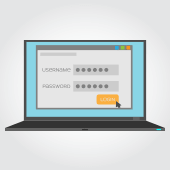
Beware of what you save in web browsers
January 9, 2018 admin Security 2018january9security_c, auto-fill, chrome, cybersecurity, firefox, Passwords, privacy, safari, web browsers

Passwords are a double-edged sword. If you make them too simple, they’ll be easy to guess; if you make them too complex, they’ll be impossible to remember. One solution is to create an uncrackable password and save it to your browser. Unfortunately, recent research suggests that tactic could drastically reduce your privacy.

Why auto-fill passwords are so dangerous

In 2015, the average internet user had 90 online accounts, a number that has undoubtedly grown since then. This has forced users to create dozens of passwords, sometimes because they want to practice healthy security habits and other times because the platforms they’re using have different password requirements.

Web browsers and password manager applications addressed this account overload by allowing usernames and passwords to be automatically entered into a web form, eliminating the need for users to hunt down the right credentials before logging in.

The process of tricking a browser or password manager into giving up this saved information is incredibly simple. All it takes is an invisible form placed on a compromised webpage to collect users’ login information without them knowing.

Using auto-fill to track users

Stealing passwords with this strategy has been a tug-of-war between hackers and security professionals for over a decade. However, it has recently come to light that digital marketers are also using this tactic to track users.

Two groups, AdThink and OnAudience, have been placing these invisible login forms on websites as a way to track which sites users visit. These marketers made no attempts to steal passwords, but security professionals said it wouldn’t have been hard to accomplish. AdThink and OnAudience simply tracked people based on the usernames in hidden auto-fill forms and sold that information to advertisers.

One simple security tip for today

Turn off auto-fill in your web browser. It’s quick, easy, and will go to great lengths to improve your account security.

  • If you use Chrome – Open the Settings window, click Advanced, and select the appropriate settings under Manage Passwords
  • If you use Firefox – Open the Options window, click Privacy, and under the History heading select “Firefox will: Use custom settings for history.” In the new window, disable “Remember search and form history.”
  • If you use Safari – Open the Preferences window, select the Auto-fill tab, and turn off all the features related to usernames and passwords.

This is just one small thing you can do to keep your accounts and the information they contain safe. For managed, 24×7 cybersecurity assistance that goes far beyond protecting your privacy, call us today.

Published with permission from TechAdvisory.org. Source.

5 social media trends to watch for!

January 8, 2018 admin Social Media 2018january8socialmedia_c, artificial intelligence, augmented reality, facebook, gen-z, influencer marketing, instagram, twitter

With the tug-of-war between mammoth social media platforms for daily users, 2018 is poised to become the biggest year for technological advancements in the industry. As social norms related to social media change, here are the top 5 trends we expect to become mainstream this year.

  1. The boom of Augmented Reality
    The launch of the new iPhones — both 8 and X — last September brought with it an under-the-radar change to the devices. The incorporation of a new chip provides iPhone users with extraordinary augmented reality (AR) experiences. While most conversations about AR focus on the mobile gaming experience, social media platforms will likely find a way to integrate the new technology as well.
  2. Influencer marketing
    Influencer marketing has proven to be the best way forward for companies to connect with younger audiences. Titanic companies such as The North Face, HubSpot and Rolex are great examples of companies which have profited heavily from social media-based influencer marketing. By contrast, companies that opted for traditional strategies struggled to connect to social media users, indicating that influencer marketing is here to stay and blossom in 2018.
  3. All eyes on Gen Z
    The oldest Gen Z-er is 22 years old and is only just heading into the labor market, meaning they’re going to start spending more money for sometime to come. Brands recognize this, and are aiming to shift their social media strategies to appease the newest customers on the market. Investment in platforms like Snapchat and Instagram is expected to grow exponentially this year.
  4. The growing importance of messaging platforms
    A recent study pointed out that over 2.5 billion people use messaging platforms like WhatsApp, Facebook Messenger and Kik to connect with companies. Rather than simply publishing marketing content to profiles and feeds, companies should focus on making it easier for customers to start one-on-one conversations. Therefore, it is more than likely that artificial intelligence, voice assistants and chatbots will all be integrated into messaging platforms for a more personalized user experience.
  5. Digital hangouts go mainstream
    In 2017, video content — including live broadcasts and chats platforms — was more prominent than ever, and live videos were definitely a successful part of it. This means digitally hanging out with friends and colleagues will become a social norm, as evidenced by the video hangout platform known as Houseparty, which boasts of over one million daily users.

With Gen Z-ers becoming a larger part of the buying marketing, companies will utilize social media platforms to their fullest by incorporating a wide variety of targeted methods to capture their attention. These methods involve technologies that were unimaginable only a few years ago, such as virtual reality and augmented reality. Moreover, investments in optimizing messaging platforms and influencer marketing also signals the start of a newer, more interconnected era between businesses and customers.

Social media marketing is the future. Get in touch with our experts for advice on how you can make 2018 your year. Call today.

Published with permission from TechAdvisory.org. Source.

Manage your IT hardware better in the New Year

January 4, 2018 admin Hardware 2018january4hardware_c, checklist, hardware, technology management, tips

The new year doesn’t have to mean new IT hardware problems. Sure, some headaches are unavoidable, but you can start the year right by giving your computer hardware a little TLC. Let our handy hardware checklist be your guide.

✓ Clean up your computer components
Wipe your monitor with a clean, static-free fabric; remove excess dirt from your mouse’s exterior; and tidy up your keyboard with compressed air. Don’t forget your computer tower! Dust build-up can block your computer’s air vent and affect its performance. Ensure that your workstation is getting adequate ventilation and isn’t directly exposed to sunlight and other heat sources.

✓ Manage your cables
If you’re not giving your computers’ cables the attention they deserve, now’s a good time to do so. Other than wiping the thick coat of dust on computers’ cables, consider using cable management solutions that unclutter and untangle messy wires. These don’t just organize and secure your cables, they also help ensure your PCs run quieter and are less prone to overheating as a result of blocked air vents.

Planning to relocate or upgrade in the near future? Organizing your computers’ cables now makes future relocation and upgrading processes much easier.

✓ Review and update your inventory
Keeping an inventory of all your hardware helps you manage hardware lifecycles and purchases, identify items that are near their end of life, and ensure you avoid duplicate purchases of items already in-stock.

Your inventory list should include all owned and leased devices: PCs and laptops, printers and scanners, tablets and smartphones, and modems and other network hardware. Update all your assets’ serial numbers and keep track of their respective users and location.

✓ Printer maintenance
Clean the interiors and exteriors of your printers, including paper trays, which are sure to have accumulated dirt from years of use. You should also repair and/or replace parts and accessories such as printheads and cartridges that are no longer in good condition. Should you decide to do a complete printer maintenance, check for the latest software updates for your printers and install them immediately.

✓ Implement a hardware policy
This is also a good time to create a technology guideline that your employees can follow to ensure they work efficiently. These guidelines reduce the need to spend on unnecessary repairs, keeping the succeeding year’s checklist shorter. With clear instructions on the proper use, replacement, and storage of your hardware and devices, you’ll be better able to manage your hardware for years to come.

With a more organized IT hardware inventory, you have one less thing to worry about. Want to get more in-depth hardware management recommendations? Call our experts today.

Published with permission from TechAdvisory.org. Source.

«‹ 10 11 12 13›»
Brain Trust Technologies LLC

6749 S. Westnedge Ave
Suite K, #128
Portage, MI 49002-3556

Southwest Michigan: (269) 290-7137
St. Louis: (314) 558-0623
Toll Free: (877) 288-5527

SMS Terms of Service | SMS Privacy Policy

© 2025 Brain Trust Technologies, LLC. All Rights Reserved