Brain Trust Technologies LLC
TOLL FREE: (877) 288-5527
  • Home
  • Why Brain Trust
    • Partners & Certifications
    • Affiliations
  • Services & Solutions
    • Managed Services
    • Hosted Solutions
      • Business Solutions
    • Hardware & Software Sales
    • Professional Services
    • Business Continuity
  • Blog
  • Resources
    • White Papers
    • Brain Trust Reports
    • Case Studies
    • Newsletter Archive
  • About Us
    • Referral Program
    • Contact Us
  • Support

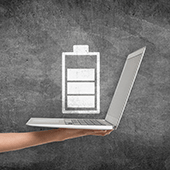
Extend laptop battery life with these tips
December 1, 2017 admin Hardware 2017december1hardware_c, battery, hardware, laptop

Finding a power socket is often the first thing you do when carrying a laptop to work in a cafe, a coworking space, or an airport, and not every time will you be lucky to find one available. You’ll be forced, then, to rely solely on your laptop battery — if it still has any juice left. Here are some tips to help your laptop battery last as long as it could.

Some truths about your laptop battery

Batteries in many devices nowadays are lithium-based — either lithium-ion or lithium-polymer — so users must take note of the following guidelines for their proper maintenance:

  • They can’t be overcharged, even though you leave your battery plugged in for a long period of time. When the battery hits 100%, it’ll stop charging.
  • Leaving your battery completely drained will damage it.
  • Batteries have limited lifespans. So no matter what you do, yours will age from the very first time you charge it. This is because as time passes, the ions will no longer be able to flow efficiently from the anode to the cathode, thereby reducing its capacity.

What else can degrade your battery

Besides its being naturally prone to deterioration, your battery can degrade due to higher-than-normal voltages, which happens when you keep your battery fully charged at all times. Even though a modern laptop battery cannot be overcharged, doing so will add a stress factor that’ll harm your battery.

Both extremely high temperatures (above 70°F) and low temperatures (between 32-41°F) can also reduce battery capacity and damage its components. The same goes for storing a battery for long periods of time, which can lead to the state of extreme discharge. Another factor is physical damage. Remember that batteries are made up of sensitive materials, and physical collision can damage them.

How to prolong your battery life

Now that you know some facts about your laptop battery, it’s time to learn how to delay its demise:

  • Never leave your battery completely drained.
  • Don’t expose your battery to extremely high or low temperatures.
  • If possible, charge your battery at a lower voltage.
  • If you need to use your laptop for a long period of time while plugged into a power source, it’s better to remove the battery. This is because a plugged-in laptop generates more heat which will damage your battery.
  • When you need to store your battery for a few weeks, you should recharge your battery to 40% and remove it from your laptop for storage.

These are just a few tips on extending the life of your hardware. There are many more ways you can maximize your hardware efficiency and extend its longevity. Call our experts today to find out more!

Published with permission from TechAdvisory.org. Source.

Try out Microsoft’s newest releases today!

November 30, 2017 admin Business 2017november30business_c, connections, email marketing, invoicing, listings, microsoft, office 365, productivity software, reputation management

At Microsoft’s 2017 Ignite conference, three new apps were announced that help small businesses streamline everyday tasks. The apps — Connections, Listings, and Invoicing — spent a few months as limited previews, but are now available to anyone with an Office 365 Business Premium subscription. Let’s take a look at what they do and how to enable them for your team.
Microsoft Invoicing

Word and Excel have hundreds of templates for generating company invoices, but this new app does much more than just create documents. Invoicing allows you to store the names, descriptions, and prices of your products and services in a connected database. You can also store your tax information, company logo, and a click-to-pay PayPal badge, which means half of the necessary information is automatically filled out the moment you click Create.

In addition to clean and professional looking documents, Invoicing also makes it easy to organize, store, and search past invoices thanks to a built-in QuickBooks integration. Last but not least, all of this is easily accessible from Microsoft’s mobile app.

Microsoft Listings

With its centralized dashboard, Listings allows you to manage and update company details displayed by Google, Facebook, Bing, and Yelp. It also helps you monitor your company’s online reputation by tracking page-views, company reviews, and Likes.

Microsoft Connections

Connections is the perfect app for small business email marketing. Similar to the Invoicing platform, Connections stores your company information and uses it to create personalized email marketing campaigns with the click of a button.

For example, templates for newsletters, referrals, and promotions include customizable discounts and offers that trigger pre-written follow-up campaigns. Connections tracks and analyzes the performance of all your email-based campaigns to make refining and improving your content a breeze, whether it’s from your desktop or the mobile app.

How to enable Invoicing, Listings, and Connections

As long as you have an Office 365 Business Premium subscription, accessing these apps requires only a global admin login. From the Admin Center, click the Settings tab on the left-hand side of the screen, followed by Services & add-ins and then Business apps. In this menu, you can grant specific users permission to use Microsoft’s newest programs.

Setting up these apps is fairly easy. However, it’s even easier to have your Office 365 account managed by us. We could have remotely installed Invoicing, Listings, and Connections for you almost a month ago, and with our information security expertise and unlimited IT support requests, there’s no limit to the value we can add to your Office 365 subscription. Give us a call to get started!

Published with permission from TechAdvisory.org. Source.

Google releases year-long security study

November 21, 2017 admin Security 2017november21security_c, account hijacking, data breach, google, keylogging, multi-factor authentication, Passwords, phishing, research

Your passwords are the gateway to your files, money, and identity, so it’s no surprise that hackers are constantly trying to steal them. Most cybercriminals will use malware to do the trick, but they also have other means at their disposal. Google’s year-long security investigation provides the details.

The results
From March 2016 to March 2017, Google and UC Berkeley researchers examined three main ways hackers hijack accounts:

  • Keylogging software – a malicious program that records computer users’ keystrokes
  • Phishing emails – to lead people into dangerous websites
  • Stolen passwords – available to the highest bidder

In just one year, Google found 788,000 successful keylogging attacks, 12.4 million victims of phishing attacks, and 1.9 billion accounts exposed via login credentials sold on the black market.

Researchers suggest the reason so many accounts are hacked is because people tend to reuse their passwords, which means if one set of login credentials is exposed, other accounts could be compromised.

Phishing is also a big threat because it targets users — the weakest links in your cybersecurity. The strongest password or security system won’t mean anything if your employees constantly fall for online scams.

Protecting your accounts
There are several things you can do thwart account hijacking. For starters, you should set strong and unique passwords for each account to minimize data breaches.

While the general rule in the past was to set a complex password — a mix of letters, numbers, and symbols — recent studies suggest that longer, 20-character “passphrases” are much tougher to crack. If you find it difficult to remember several passwords, consider using a password manager, which not only stores all your passwords, but can generate strong passwords, too.

To deal with phishing attacks, you should activate multi-factor authentication on your accounts. This adds an extra layer of identity verification to your password (e.g., a fingerprint scan or a temporary security key sent to your phone), making your login details ‘unphishable.’

Security training is also crucial. This includes teaching your employees about what phishing attacks look like and instructing them on password protection best practices so they never fall victim to account hijacking.

The bottom line is not only that strong password security requires strong defense mechanisms; you and your employees must be vigilant, too.

Need more advice on keeping your business safe? Call us today! We provide critical security updates and comprehensive support services to help you stay well ahead of cybercriminals.

Published with permission from TechAdvisory.org. Source.

«‹ 13 14 15 16›»
Brain Trust Technologies LLC

6749 S. Westnedge Ave
Suite K, #128
Portage, MI 49002-3556

Southwest Michigan: (269) 290-7137
St. Louis: (314) 558-0623
Toll Free: (877) 288-5527

SMS Terms of Service | SMS Privacy Policy

© 2025 Brain Trust Technologies, LLC. All Rights Reserved