Brain Trust Technologies LLC
TOLL FREE: (877) 288-5527
  • Home
  • Why Brain Trust
    • Partners & Certifications
    • Affiliations
  • Services & Solutions
    • Managed Services
    • Hosted Solutions
      • Business Solutions
    • Hardware & Software Sales
    • Professional Services
    • Business Continuity
  • Blog
  • Resources
    • White Papers
    • Brain Trust Reports
    • Case Studies
    • Newsletter Archive
  • About Us
    • Referral Program
    • Contact Us
  • Support

Get fat savings with thin and zero clients

July 6, 2017 admin Hardware 2017july6hardware_c, cooling, data breach, desktop, energy consumption, hardware, hardware cost, management, thin client, virtual desktop, zero client

When you have several cost-effective options like cloud computing and managed services providers, IT spending should never get out of control. And if you want to cut back even further, trade in your expensive desktops for thin and zero clients.

What are thin and zero clients?
Thin clients are stripped-down computers with minimum processing power and memory. They rely on a basic operating system and a network connection to access a more powerful system where almost all computing processes take place.

Zero clients work the same way. The only difference is that there’s no local storage or operating system installed on the device; all the software, storage, and processing power sits on a server until you need it. This setup makes it ideal for cutting costs, and here’s why.

Reduced hardware costs
When it comes to upfront costs, thin and zero clients are the obvious choice. Conventional desktops start at $300 per user, while thin clients can go for as low as $90 per user. And since they have no hard drive or other moving parts, lean devices tend to be more durable and have a longer lifespan than their traditional counterparts.

Simplified IT management
Another benefit of thin clients is that they can be managed from a server. Suppose a new software update was released. Instead of manually downloading the patch on each computer, you can simply install the update on your server and roll it out to all thin clients. Apart from upgrades, you can make backups, security configurations, and application deployments in the data center. This quickens setup, reduces downtime, and increases employee productivity.

Minimized security risks
Thin clients also help you avoid costly malware attacks and data breach incidents. Your employees and poorly managed endpoints are the biggest vulnerabilities with traditional desktops. Thin and zero clients reduce these problems by limiting direct access to the operating system. This prevents employees from copying sensitive data to removable media and installing software, malicious or otherwise.

If your thin client is damaged or corrupted, you don’t have to worry about your data, as it’s originally stored in an impenetrable server.

Decreased energy consumption
Because processing is done locally, traditional desktops generate a lot of heat and require more power, which results in huge power and cooling bills at the end of the month. By contrast, thin and zero clients consume only 4-6.5 watts of power, almost 1/50th of thick client requirements. What’s more, they require little to no cooling, allowing you to enjoy significant cost savings.

When looking for cost-cutting solutions, thin and zero clients should never be overlooked. The reduced hardware costs, power bills, and security risks are just too good to pass up. But if you’re still unsure about this technology, give us a call. We’ll assess your tech needs and determine whether or not thin or zero clients can help you succeed.

Published with permission from TechAdvisory.org. Source.
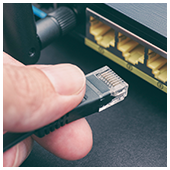
Worrying evidence of poor router security

June 27, 2017 admin Security 2017june27security_c, cia, firmware, routers, security, wannacry, wikileaks, wireless networks

Adding to the list of reasons to outsource your network security to a certified IT provider, a recent CIA leak shows just how vulnerable most network routers really are. Read on to learn why this is such a big vulnerability and what you can do to fix it.

The Wikileaks CIA documents

For several months, the notorious website famous for leaking government data has been rolling out information it obtained from the Central Intelligence Agency. The documents detail top-secret surveillance projects from 2013 to 2016 and mainly cover cyber espionage.

In the most recent release, documents describe government-sponsored methods and programs used to exploit home, office, and public wireless routers for both tracking internet browsing habits and remotely accessing files stored on devices that connect to compromised networks.

Is my router one of them?

According to the documents, 25 models of wireless routers from 10 different manufacturers were being exploited by the CIA. They weren’t off-brand budget devices either; the list includes devices from some of the biggest names in wireless networking:

  • Netgear
  • Linksys
  • Belkin
  • D-Link
  • Asus

Those brands account for over a third of wireless routers on the market, which means there’s a good chance you’re at risk.

After WannaCry used a previous CIA leak to fuel its global spread, you need to worry about more than just being a target of government espionage too. Over the past few years, almost all of these leaks have quickly made their way into criminal hands.

Patching vulnerabilities

Fixing security gaps in hardware is tricky business, especially when they’re mainly used to monitor rather than corrupt. In most cases, there will be no visual cues or performance problems to indicate your hardware has been infected. As such, you should plan on regularly updating the software on your hardware devices whenever possible.

Accessing your router’s software interface isn’t a user-friendly experience for non-IT folks. Usually, to access it, you need to visit the manufacturer’s website and log in with the administrator username and password. If these are still set to the default “admin” and “password” make sure to change them.

Once logged in, navigate through the settings menus until you find the Firmware Update page. Follow the instructions and confirm that the firmware has been properly installed.

The CIA’s router leaks were vague, so we’re not even sure how recent they are. We are fairly certain, however, that all of the manufacturers have since patched the vulnerabilities. Regardless, updating your router’s firmware will protect from a number of cyber security risks. If you’re unable to finish the task on your own, one of our technicians can fix it, as well as any other firmware vulnerabilities, in a matter hours. All you need to do is call!

Published with permission from TechAdvisory.org. Source.

Office 365: Increase ROI with Power BI

June 23, 2017 admin Business 2017june23business_c, Business Intelligence, business value, data analytics, microsoft, office 365, power bi

It’s rare that business owners have a chance to get move value out of their existing IT solutions without investing more resources in them. But with Microsoft’s latest data analytics platform, business owners can make sure they’re squeezing every last drop of productivity from Office 365, for free.

What is Power BI?

Released in the spring of 2016, Power BI is Microsoft’s business analytics platform. Regardless of whether or not data is stored within a Microsoft platform, connecting Power BI to a database allows you to create detailed graphs, charts, maps, and more. For example, if you upload sales records, dragging and dropping two columns is all it takes to map out where your product sees the most demand.

Recently, Microsoft announced a brand new feature for business owners who want to get more value out of their software subscriptions. The Office 365 adoption content pack collects information about how your employees use Microsoft productivity software, and feeds it directly into Power BI’s analytics. There are four types of insights you can work with:

Adoption

These metrics give you visibility into how much each O365 platform is being used. You may be paying for OneDrive accounts for the entire organization, only for Power BI to reveal that less than a quarter of your team is using it. Compare enabled users and active users to get a clearer picture of your investments.

Communication

You can also see exactly how employees are using communication solutions. If nearly everyone on the team is accessing Skype for Business from a mobile data connection, it might be time to reduce your investments in cellular-based minutes.

Collaboration

Microsoft has several collaboration platforms, and without proper guidance, employees are likely to use the easiest one rather than the best one. Power BI shows you how much time users spend time in their own Word, PowerPoint, and SharePoint documents compared to the time they spend in documents from colleagues. This shows you which platforms encourage the most collaboration and which ones are struggling.

Activation

– The activation insights give you under-the-hood visibility into which versions of O365 users are running, and what devices they use to access them. That may seem like trivial information, but it can have huge impacts on cyber security.

Power BI comes in three different plans: Desktop, Pro, and Premium. Best of all, both the Desktop plan and the Office 365 adoption content pack are totally free. If you like what you see, consider enlisting us to set up and optimize either a Pro or Premium Power BI deployment — we’re only a phone call away!

Published with permission from TechAdvisory.org. Source.

«‹ 24 25 26 27›»
Brain Trust Technologies LLC

6749 S. Westnedge Ave
Suite K, #128
Portage, MI 49002-3556

Southwest Michigan: (269) 290-7137
St. Louis: (314) 558-0623
Toll Free: (877) 288-5527

SMS Terms of Service | SMS Privacy Policy

© 2025 Brain Trust Technologies, LLC. All Rights Reserved