Brain Trust Technologies LLC
TOLL FREE: (877) 288-5527
  • Home
  • Why Brain Trust
    • Partners & Certifications
    • Affiliations
  • Services & Solutions
    • Managed Services
    • Hosted Solutions
      • Business Solutions
    • Hardware & Software Sales
    • Professional Services
    • Business Continuity
  • Blog
  • Resources
    • White Papers
    • Brain Trust Reports
    • Case Studies
    • Newsletter Archive
  • About Us
    • Referral Program
    • Contact Us
  • Support

BCP tactics to keep your business running

February 5, 2016 admin Business Continuity 0 Comments 2016feb5_businesscontinuity_c, BCP, business continuity planning, business data, generator, QS_3, servers, social media, unified communications, uninterrupted power supply, virtualization

2016Feb6_BusinessContinuity_CIt’s a fact of life. Events out of your control can disrupt your business operations. While you can’t necessarily control the unexpected, you can take some precautions to prevent most business disruptions. Here are some key business continuity strategies that organizations across the globe rely on to keep their doors open.

Backup your data, applications and servers

Today, companies are more dependent than ever on IT and their business data. If these critical components suddenly become inaccessible, can your business stay open? For most business owners, the simple answer is no. This is why backing up these elements is vital to your business’s success. Backing them up ensures they can be restored quickly in the event of a disaster, security breach, or damage to IT equipment.

Obviously, to ensure the accessibility of your IT, you need to backup all your data, applications and servers regularly. The keyword here being “regularly”. While in the past most businesses would do this on-site and with tape backups, today more and more businesses are using the cloud. Some of the prime reasons for backing up to the cloud are as follows:

  • Affordability
  • Backups can be automated, therefore saving you time
  • Cloud providers usually backup your data to multiple locations (so if one of their facilities goes down, your backup is still safe at another site)
  • Backups can be accessed from anywhere, whether it’s at an employee’s home or at an alternate office
  • If you need to use it, backups can be restored quickly

Virtualize servers and desktops

When you virtualize your servers or desktops, they can be used at any location – be it at your workplace, home, or a coffee shop in the Bahamas. In terms of business continuity, this is useful in case your main office suddenly becomes unusable due to a disaster such as a flood, a break-in, or if you’re simply unable to get there because of hostile weather conditions.

Have a backup power supply

Power outages essentially zap all your employees productivity. No electricity means no work. And that means you’re paying them to do nothing. Having a backup power supply like a generator will ensure that when the electricity goes down, your employees can continue working. A good solution is an uninterrupted power supply (UPS). When you have this, a power outage will not affect your employees ability to work. They can work seamlessly through it, as if nothing ever happened. Also, if you have a server room, the UPS will ensure your vital servers stay cool.

Utilize social media

Whether it’s Facebook, Twitter or Google +, most people are on at least one social network these days. And if there is any kind of weather-related disaster, social media is usually one of the first places customers, colleagues, staff and vendors will check to see the status of your business. This is because even if the phone lines or local power goes out, social media is usually accessible. So when it comes to business continuity, have at least one active social media account you use to keep your customers and followers informed.

Implement Unified Communications

Unified Communication (UC) can essentially create a virtualized communication infrastructure. That means instead of your communication tools – like phones, instant messaging, video calls – all being stored locally at your workplace, you can access them anywhere. So for whatever reason if your office is inaccessible, employees can still use your phones and other communication tools from their homes. What’s more, UC tools can route business calls to your employees smartphones. That means they’ll never miss an important call, even if they’re not in the office.

So there you have it, five tools to ensure your business operates continuously no matter what comes your way. If you’d like to implement business continuity technology in your business or develop a continuity plan, we’re happy to help.

Published with permission from TechAdvisory.org. Source.

Can Your Business Survive A Disaster?

January 27, 2016 admin Business Continuity 0 Comments 2016jan25_businesscontinuity_c, contingency, contingency plan, data loss, data protection, disaster, disaster recovery, disruption, downtime, network disruption, outage, protection, QS_3, recovery, security

2016Jan25_BusinessContinuity_CDisasters. They do happen — it’s only a matter of ‘when’. While most businesses acknowledge it, surveys show that only one in four companies worldwide have adequate protection in the event of a major disruption. We’re not talking about insurance here, but a Disaster Recovery (DR) plan that could save you thousands of dollars in losses and worse, a business closure. If you haven’t heard much about what DR is, this post will help you gain some insight about what it is and how it can affect the future of your business.

As we all know, unpredictability is a fact of life. The aftermath of Tropical Storm Bill in Texas and recent floods in South Carolina are a grim and unfortunate lesson for many overconfident business owners who think their companies are spared from the likelihood of cataclysmic weather, technological malfunctions, or human actions. A 2014 survey by the IT Disaster Recovery Preparedness (DRP) Council reveals just how many companies worldwide are at risk: 73 percent of SMBs are failing in terms of disaster readiness. What does this mean? It means that 3 out of 4 companies aren’t prepared to handle emergencies and save their businesses from a worse-case scenario.

If it’s not clear and compelling enough for a business owner like yourself to consider putting a well-conceived Disaster Recovery (DR) plan into place, perhaps it’s time to give it some thought. Doing so can save you years of business loss. Here is some useful information about what DR is all about and how it can ensure your business’s survival in the wake of unforeseen circumstances.

What is Disaster Recovery (DR)?

Disaster recovery is a plan for restoring and accessing your data in the event of a disaster that destroys part or all of a business’s resources. It is a key component involving many aspects of business operations that requires this information to function. The job of a DR plan is to ensure that whatever happens, your vital data can be recovered and mission-critical applications will be brought back online in the shortest possible time.

What kind of disasters are likely to happen?

Business disasters can either be natural, technological, or man-made. Natural types of disasters include floods, earthquakes, tornadoes, hurricanes, landslides, tsunamis, and even a pest infestation. On the other hand, technological and man-made disasters involve hazardous material spills, infrastructural or power failure, nuclear power plant meltdown or blast, chemical threat and biological weapons, cyber attacks, explosions, or acts of terrorism and civil unrest.

Why does your business need DR?

Regardless of industry or size, when an unforeseen event takes place and causes day-to-day operations to come to a halt, a company will need to recover as quickly as possible to ensure you will continue providing services to clients and customers. Downtime is one of the biggest IT expenses that any business can face. Based on 2015 disaster recovery statistics, downtime that lasts for one hour can cost small companies as much as $8,000, mid-size organizations $74,000, and $700,000 for large enterprises.

For SMBs particularly, any extended loss of productivity can lead to reduced cash flow through late invoicing, lost orders, increased labor costs as staff work extra hours to recover from the downtime, missed delivery dates, and so on. If major business disruptions are not anticipated and addressed today, it’s very possible that these negative consequences resulting from an unexpected disaster can have long-term implications that affect a company for years. By having a Disaster Recovery plan in place, a company can save itself from multiple risks including out of budget expenses, reputation loss, data loss, and the negative impact on clients and customers.

How do I create a DR strategy for my business?

Creating, implementing and maintaining a total business recovery plan is time-consuming but extremely important to ensure your business’s survival. Many organizations don’t have the time or resources to dedicate to this process. If you would like to protect your company from unexpected disasters but need further guidance and information on how to get started, give us a call and our experts will be happy to discuss Disaster Recovery options and solutions with you.

Published with permission from TechAdvisory.org. Source.
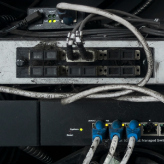
Ask these 3 questions about your servers

January 27, 2016 admin Hardware 0 Comments 2016jan27_hardware_c, business, company, hardware, planning, QS_3, questions, replacement, servers, virtualization

Your heart is always there beating away 24-hours a day. This is also an apt description for your servers. They are always working, ensuring your business stays operational even if you don’t notice it. However, it’s not unusual for business owners to overlook their servers as most times it is a simple case of out of sight, out of mind. This is a dangerous way of thinking because once your servers go down, you will start losing money and maybe even go under. Even if your servers seem to be running smoothly, do yourself a favor and consider these three questions.

When do my servers need to be replaced?

This is a difficult question to answer but there are two factors you will want to consider – age and performance. The useful life of a server tends to be around three years. After the third year, your support costs to maintain them will rise drastically. While it’s not unheard of for servers to function properly beyond year three, relying on them beyond this point can be risky as their health can’t always be guaranteed. This means you will have to deal with costly repairs and possible downtime that you can’t predict.

Performance is another factor when it comes to servers. Even if your servers are only a year old, it doesn’t make sense to keep them around until year three if they are slow and are costing a fortune to maintain. It’s important to do a cost benefit analysis in these situations and look at how much money you will lose in repairs and downtime and then compare it to the cost of buying new hardware.

Do I have an alternative to buying new servers?

Believe it or not, the answer to your server problems might not necessarily be purchasing more physical hardware. One way to avoid this is by embracing virtualization. This process allows your servers to be stored and maintained off-site with everything being delivered to your office via the internet. There are two notable benefits of virtualizing your servers. The first is that you don’t have to spend a bunch of money buying new equipment. The second is that virtualization is a scalable technology meaning you only pay for the space you use. For instance, if you only need two and a half servers, you can do that. This is in contrast to having physical equipment which would require your business to either make do with two servers or splurge and buy the third one even if you didn’t need all of that space.

Of course there are a few things you need to consider before making the switch to server virtualization. One of the biggest issues is security. You’ll have to ask yourself if you feel comfortable keeping all of your data off-site. While this isn’t a concern for some companies, others don’t see this as palatable. There are several workarounds to this issue including the hybrid option where you keep sensitive data on-site and everything else off-site.

Can I do anything to prevent a full-scale server replacement?

Yes. It’s certainly possible for you to buy some time and give your current servers additional life, but these are short term fixes, not long term solutions. Server upgrades are a good place to start if your servers are less than three years old but are degrading in performance. Adding additional CPUs or memory may increase server performance at a fraction of the cost of buying new servers.

You can also utilize old servers for non-critical workloads. It’s possible to extend the life of servers that may have four of five years of wear and tear on them via repurposing. Instead of swapping out all of your servers, use the old ones for the non-critical processes and purchase new ones to handle critical workloads. This will help you get a better ROI on your technology while avoiding a wholesale hardware purchase which could cripple your budget.

If you have any questions about your servers and how you can increase performance, get in touch with us today. We can help you procure new hardware or show you the benefits of virtualization.

Published with permission from TechAdvisory.org. Source.

«‹ 62 63 64 65›»
Brain Trust Technologies LLC

6749 S. Westnedge Ave
Suite K, #128
Portage, MI 49002-3556

Southwest Michigan: (269) 290-7137
St. Louis: (314) 558-0623
Toll Free: (877) 288-5527

SMS Terms of Service | SMS Privacy Policy

© 2025 Brain Trust Technologies, LLC. All Rights Reserved