
 If employee training and education isn’t an integral part of your cybersecurity strategy, a recent scam might force you to reconsider. Instead of relying on complicated programming code to steal and destroy data, hackers are increasingly relying on human errors to get the job done. Even well-trained users are falling for the most recent ploy, take a look.
Broadly defined, “phishing” is any form of fraud in which an attacker tries to learn information such as login credentials or account information by masquerading as a reputable entity or person in email, IM or other communication channels.
These messages prey on users who click links, images and buttons without thoroughly investigating where they lead to. Sometimes the scam is as simple as an image with a government emblem on it that links to a website containing malware. Just hovering your mouse over the image would be enough to see through it. But some phishing schemes are far more difficult to recognize.
The Google Defender scam
Recently, an email spread to millions of Gmail accounts that almost perfectly imitated a message from Google. The text read:
“Our security system detected several unexpected sign-in attempts on your account. To improve your account safety use our new official application “Google Defender”.
Below that was a button to “Install Google Defender”. What made this scheme so hard to detect is that the button actually links to a totally legitimate site…within Google’s own framework. When third-party app developers create Gmail integrations, Google directs users to an in-house security page that essentially says, “By clicking this you are giving Google Defender access to your entire inbox. Are you sure you want to do this?”
Even to wary users, the original message looks like it came from Google. And the link took them to a legitimate Google security page — anyone could have fallen for it. The Gmail team immediately began assuring users that they were aware of the scam and working on eradicating it and any potential copycats.
There’s no happy ending to this story. Although vendors and cybersecurity experts were able to respond to the crisis on the same day it was released, millions of accounts were still affected. The best way to prepare your business is with thorough employee training and disaster recovery plans that are prepared to respond to a breach. To find out how we can protect your business, call today.
 You pay close enough attention to the links you click to avoid clicking on something like goolge.com or evrenote.com…right? Because if you’re not, you could end up exposing your computer or smartphone to a host of malware. The newest phishing attack strategy is the worst of all, and can catch even the most astute users off guard.
 Staving off malicious cyber attackers is already a herculean task, so the last thing you need is to feel exposed from a totally new angle. That’s how many felt after Wikileaks’ accusations that the US government was spying on its citizens. However, the truth is a lot different from what the headlines would have you believe.
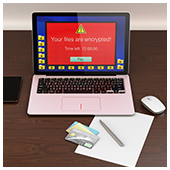 Although a ransomware infection might feel targeted, you’re not the only one who’s been infected. Ransomware is spreading at an alarming rate, but the further it goes, the more resources are allocated to fighting it. If your data is held hostage, always check these lists for free decryptors first.
 Cybersecurity is one of the final bastions of hardware superiority. More and more IT solutions are being hosted in the cloud, and business owners are being told that software is all they need to get the job done, which is half true. When it comes to perimeter security you definitely need a hardware firewall, with a little something extra…
 Business owners have spent the last couple months fearful of cyber attacks from the “fileless malware” plastered across headlines. The reality of this new threat doesn’t actually call for panic…yet. Getting acquainted with this new malware today could save you from a headache in the future.
 As technology consultants, we’re stuck between a rock and a hard place. We want to provide our clients with enterprise-level IT, but that requires that we specialize in overwhelmingly intricate technology. Explaining even the most foundational aspects of our cyber-security would most likely put you to sleep before convincing you of our expertise. But if you really want to know, here are a few summaries of how we focus on proactive strategies rather than reactive ones.
 As cyber attacks continue to rise, businesses large and small need to stay one step ahead with IT services that keep them protected no matter what. What once were minor nuisances have now become advanced threats that can actually put you out of business. In fact, these cyber attack statistics will prove to you that you need managed services from a technology provider to remain safe and competitive.
 Business technology has become one of the most important components for successful companies big and small. In an overwhelmingly digital landscape, businesses depend on IT for marketing, data storage, and financial transactions. And with that comes the need to secure every bit of private information cyber criminals might want to feast their eyes on. And while an outsourced security professional is a must, there are a few simple steps you can do yourself to get started. Check out five of our favorites here.
 Movies have been showing audiences the dangers of artificially-intelligent devices for half a century. After last month’s cyber attack on Dyn that sidelined Netflix and was caused by the cooperation of an army of bots created from hacked “Internet of Things” (IoT) devices, it seems the movies were right. If you want to know how security firms are fighting the rise of the machines through IoT scanners, read on.