

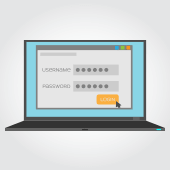
 Passwords are a double-edged sword. If you make them too simple, they’ll be easy to guess; if you make them too complex, they’ll be impossible to remember. One solution is to create an uncrackable password and save it to your browser. Unfortunately, recent research suggests that tactic could drastically reduce your privacy.
Why auto-fill passwords are so dangerous
In 2015, the average internet user had 90 online accounts, a number that has undoubtedly grown since then. This has forced users to create dozens of passwords, sometimes because they want to practice healthy security habits and other times because the platforms they’re using have different password requirements.
Web browsers and password manager applications addressed this account overload by allowing usernames and passwords to be automatically entered into a web form, eliminating the need for users to hunt down the right credentials before logging in.
The process of tricking a browser or password manager into giving up this saved information is incredibly simple. All it takes is an invisible form placed on a compromised webpage to collect users’ login information without them knowing.
Using auto-fill to track users
Stealing passwords with this strategy has been a tug-of-war between hackers and security professionals for over a decade. However, it has recently come to light that digital marketers are also using this tactic to track users.
Two groups, AdThink and OnAudience, have been placing these invisible login forms on websites as a way to track which sites users visit. These marketers made no attempts to steal passwords, but security professionals said it wouldn’t have been hard to accomplish. AdThink and OnAudience simply tracked people based on the usernames in hidden auto-fill forms and sold that information to advertisers.
One simple security tip for today
Turn off auto-fill in your web browser. It’s quick, easy, and will go to great lengths to improve your account security.
- If you use Chrome – Open the Settings window, click Advanced, and select the appropriate settings under Manage Passwords
- If you use Firefox – Open the Options window, click Privacy, and under the History heading select “Firefox will: Use custom settings for history.” In the new window, disable “Remember search and form history.”
- If you use Safari – Open the Preferences window, select the Auto-fill tab, and turn off all the features related to usernames and passwords.
This is just one small thing you can do to keep your accounts and the information they contain safe. For managed, 24×7 cybersecurity assistance that goes far beyond protecting your privacy, call us today.
 With the tug-of-war between mammoth social media platforms for daily users, 2018 is poised to become the biggest year for technological advancements in the industry. As social norms related to social media change, here are the top 5 trends we expect to become mainstream this year.
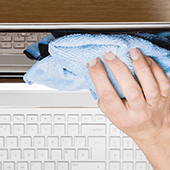 The new year doesn’t have to mean new IT hardware problems. Sure, some headaches are unavoidable, but you can start the year right by giving your computer hardware a little TLC. Let our handy hardware checklist be your guide.
 It’s the perfect time of year to evaluate last year’s technology investments and make adjustments for the year to come. Whether 2017 left you with extra cash in your pocket or desperate for a better way to get work done, here’s a roundup of the best IT news from the past year.
 When you visit an encrypted website, the connection between the source of the web page and your browser is secure. Encryption ensures users’ browsing habits are safe from hackers’ prying eyes, but phishing scammers have found a way to adopt it for their own schemes.
 You might be entering credit card details on a website to purchase something online or filling in your personal information to subscribe to a service, thinking you’re safe behind the keyboard. And you probably are — if the computer you’re using doesn’t have a keylogger installed. But for HP laptop users, chances are they aren’t so lucky. Read on to see why.
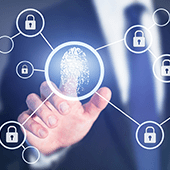 Your employees access applications and confidential business data every day. Hackers, on the other hand, are trying to do the exact same thing but for more malicious reasons. To make matters worse, even employees can go rogue and steal your data, which is why it’s crucial that you have an IAM solution in place.
 With over 1.3 billion monthly active users, Facebook’s Messenger app is an unprecedented success. Facebook is now looking to fully utilize the potential of this monster user base and has therefore added a feature for improving connectivity between local businesses and consumers. Read on to learn how this feature could benefit you!
 Installing powerful antivirus software and setting strong passwords are no longer considered the bare minimum in cybersecurity. With hackers, government agencies, and ISPs constantly monitoring networks and your online habits, hopping onto a Virtual Private Network (VPN) is crucial for keeping your surfing habits private. Here’s why.
 Finding a power socket is often the first thing you do when carrying a laptop to work in a cafe, a coworking space, or an airport, and not every time will you be lucky to find one available. You’ll be forced, then, to rely solely on your laptop battery — if it still has any juice left. Here are some tips to help your laptop battery last as long as it could.