

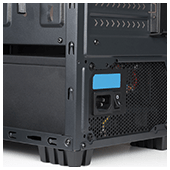
 There are plenty of hardware specifications to consider when installing a new workstation in the office, but one you should focus on first is the power supply unit (PSU). Choosing a faulty, substandard PSU often leads to unstable systems and poor performance. Make sure you have the perfect power supply for your workstations by following this guide.
Higher isn’t always better
Many users assume the higher the total wattage, the better the performance of the PSU. While enormous 1800W PSUs are useful for running multiple drives and graphics-intensive applications, they’re unnecessary and often cost you an arm and a leg.
Most computers don’t run at full capacity all the time. In fact, if your computer has mid-level graphics cards, processors, and RAM, 600W is more than enough.
To find out exactly how much you need, online PSU calculators will give you a rough estimate of your daily power consumption. Once you’ve calculated how much wattage you need, you’ll ideally want a PSU that has a slightly higher total wattage limit to provide some headroom in case you want to install additional components later.
Pay attention to efficiency ratings
Highly efficient PSUs tend to have more effective components, consume less energy, and produce less heat, which saves you from huge monthly energy and cooling bills.
The best way to determine whether your PSU is efficient is to look for ones with “80 Plus” certifications. This certification means that a unit is at least 80% efficient, and loses approximately 20% as heat.
Note that higher efficiency ratings equal higher prices, so be sure to weigh the potential energy and cooling savings against the upfront cost of the PSU.
Consider larger PSUs
Although they can be quite cumbersome, larger PSUs are more reliable than lightweight models. Large PSUs are equipped with more advanced internal components and better cooling management. Fans are larger too, which means they can move more air, make less noise, and keep your workstation cool.
Choose your cables wisely
When it comes to cabling, you have three options: hard-wired cabling, partially modular cabling, or fully modular cabling.
- Hard-wired cables are attached directly to the PSU box. While this setup is cheaper than the other two cabling options, the number of plugs are limited and not suited for customization.
- Fully modular cabling means all PSU cables are removable, making installation and cabling management easy. These PSU models, however, tend to be much more expensive than other types of cabling.
- Partially modular cabling takes the best of both worlds, providing necessary cables for the PSU while giving room for other components at a moderate price.
Research the manufacturer
Ideally, your PSU should be provided by a reliable manufacturer that offers reasonable warranties and comprehensive support. Most people tend to opt for Corsair, Seasonic, and Antec PSUs, but you should still take time to research the products.
Look for customer reviews about the specific make and model of your PSU. If that’s not possible, get a hardware technician’s expert opinion.
Choosing the right hardware can be extremely difficult, especially if you don’t have the technical know how. So if you need more guidance about all things related to hardware, call us today. We’re more than happy to answer any of your questions.
 Facebook’s not only for posting cat photos, complaining about restaurants, or stalking your ex, it’s also an incredibly effective advertising platform. From small businesses to big corporations, anyone can benefit from Facebook’s marketing tools. Read on to leverage Facebook to your advantage.
 What would you do right now if you discover that your business’s database is hacked and a huge number of your customers’ data gets leaked? Speechless, with dismay, but you need to act, decently. In this case, it helps to have a good incident response plan in place, so your business won’t suffer the same fate as Equifax, which is an interesting story we’re about to tell.
 When small- and medium-sized businesses expand, they need tools that can support their growth. For many, this includes cloud productivity software and managed IT services. And if you need tools for accounting, project planning, supply chain management, and sales, there’s enterprise resource planning (ERP) software.
 Today, you simply can’t survive without a WiFi connection. Businesses need fast, secure, and reliable internet to get work done and satisfy customers. But what do you do when experience WiFi issues? These fixes ought to do the trick!
 With the popularity of Office 365, hackers are trying to find new ways to exploit its users, and they’ve come up with a new idea: a credential-harvesting campaign that uses personalized spear-phishing mails as a tool. If you’re an Office 365 user and don’t want your account compromised, read on.
 Hurricanes Harvey and Irma have already caused billions of dollars in damages, but hurricane season is far from over. Experts are predicting that there will be five more major tropical storms through October, and if they present risks to your business, it’s time to establish a watertight disaster recovery (DR) plan. Here are a few things you need to consider.
 Despite the apparent break from international ransomware attacks, hackers are still keeping themselves busy, this time using an adware campaign that could easily be one of their most cunning tricks yet. If you use Facebook Messenger, you need to read this.
 You can easily lower your IT budget by better managing your print infrastructure. It sounds too good to be true, but it’s totally doable. Companies big and small follow inefficient printing models without even realizing it, but you can break the mold by following these tips:
 A new, Locky-type ransomware is currently infecting tens of thousands of computers worldwide. It uses the same code from the 2016 version to encrypt users’ files and it looks poised to cause another massive cyber emergency. Here’s everything we know so far.