Brain Trust Technologies LLC
TOLL FREE: (877) 288-5527
  • Home
  • Why Brain Trust
    • Partners & Certifications
    • Affiliations
  • Services & Solutions
    • Managed Services
    • Hosted Solutions
      • Business Solutions
    • Hardware & Software Sales
    • Professional Services
    • Business Continuity
  • Blog
  • Resources
    • White Papers
    • Brain Trust Reports
    • Case Studies
    • Newsletter Archive
  • About Us
    • Referral Program
    • Contact Us
  • Support

VPNs: Why you need them

December 6, 2017 admin Security 2017december6security_c, cybersecurity, Encryption, ip leaking, privacy, server, virtual private network, vpn

Installing powerful antivirus software and setting strong passwords are no longer considered the bare minimum in cybersecurity. With hackers, government agencies, and ISPs constantly monitoring networks and your online habits, hopping onto a Virtual Private Network (VPN) is crucial for keeping your surfing habits private. Here’s why.

What is VPN?

Simply put, a VPN is a group of servers you connect to via the internet. Once you’ve established a connection, your computer acts as if it’s on the same local connection as the VPN, making it seem like you moved to a different location.

When you surf the web through a VPN, all the data transmitted and received is also encrypted, preventing anyone — from hackers to government agencies — from monitoring your online activities.

Why should you have one?

Of course, security and privacy are major reasons why you would want a VPN. For example, if you’re connected to a public WiFi network — like the ones you typically see in local cafes and airports — using a VPN encrypts the information you’re sending or accessing online. This means things like credit card details, login credentials, private conversations, or other sensitive documents can’t be intercepted by a third party.

VPNs are also useful for accessing geo-restricted websites. If you’re traveling abroad and certain US websites are blocked in that region, you can simply connect to a VPN located in the US to access the sites you need.

Which VPN should you choose?

Given the increasing demand for secure online privacy, VPNs are surging in popularity. The following considerations can help you find the right one.

1. Cost
While free VPNs are available, we strongly suggest you avoid them. These keep logs of your internet activity, and in some cases sell them to the highest bidder. Maintaining a VPN service is also expensive, which means the free ones will likely plaster ads on your browser to make a quick buck.

Paid VPNs like SurfEasy and StrongVPN often come with more robust features and configurations that keep you secure. What’s more, they don’t keep a record of the sites you visit and hound you with pop-ups that lead to dangerous websites.

2. Location
The physical location of VPN servers is important if you want to access region-blocked websites. So if you’re planning on accessing a UK-based service, your VPN provider must at least have servers installed in London.

3. Capacity
Read through a VPN provider’s terms of service to determine how much data you’re allowed to use. If possible, find out how many servers a VPN provider has. If they have plenty of servers online, you can rest assured that they have the capacity to support your internet browsing.

4. Device compatibility
Another important factor to consider is whether the VPN can be used across multiple devices. Nowadays, employees work on laptops, tablets, and smartphones, so you’ll want a VPN that’s compatible with all these.

5. IP leaking
Finally, a great way to evaluate a VPN service is to sign up for their free trial service and visit https://ipleak.net/, which will allow you to check whether your real IP address is actually being leaked. If it manages to track your physical location, you need to opt for a more reliable VPN service.

VPNs are now a vital component of cybersecurity, and if you need help selecting the right one for your business, consult with our security experts today. We also offer comprehensive cybersecurity services so no hacker or third party can get their hands on your data.
Published with permission from TechAdvisory.org. Source.

Google releases year-long security study

November 21, 2017 admin Security 2017november21security_c, account hijacking, data breach, google, keylogging, multi-factor authentication, Passwords, phishing, research

Your passwords are the gateway to your files, money, and identity, so it’s no surprise that hackers are constantly trying to steal them. Most cybercriminals will use malware to do the trick, but they also have other means at their disposal. Google’s year-long security investigation provides the details.

The results
From March 2016 to March 2017, Google and UC Berkeley researchers examined three main ways hackers hijack accounts:

  • Keylogging software – a malicious program that records computer users’ keystrokes
  • Phishing emails – to lead people into dangerous websites
  • Stolen passwords – available to the highest bidder

In just one year, Google found 788,000 successful keylogging attacks, 12.4 million victims of phishing attacks, and 1.9 billion accounts exposed via login credentials sold on the black market.

Researchers suggest the reason so many accounts are hacked is because people tend to reuse their passwords, which means if one set of login credentials is exposed, other accounts could be compromised.

Phishing is also a big threat because it targets users — the weakest links in your cybersecurity. The strongest password or security system won’t mean anything if your employees constantly fall for online scams.

Protecting your accounts
There are several things you can do thwart account hijacking. For starters, you should set strong and unique passwords for each account to minimize data breaches.

While the general rule in the past was to set a complex password — a mix of letters, numbers, and symbols — recent studies suggest that longer, 20-character “passphrases” are much tougher to crack. If you find it difficult to remember several passwords, consider using a password manager, which not only stores all your passwords, but can generate strong passwords, too.

To deal with phishing attacks, you should activate multi-factor authentication on your accounts. This adds an extra layer of identity verification to your password (e.g., a fingerprint scan or a temporary security key sent to your phone), making your login details ‘unphishable.’

Security training is also crucial. This includes teaching your employees about what phishing attacks look like and instructing them on password protection best practices so they never fall victim to account hijacking.

The bottom line is not only that strong password security requires strong defense mechanisms; you and your employees must be vigilant, too.

Need more advice on keeping your business safe? Call us today! We provide critical security updates and comprehensive support services to help you stay well ahead of cybercriminals.

Published with permission from TechAdvisory.org. Source.

Hackers KRACK WiFi security

November 2, 2017 admin Security 2017november2security_c, ethernet, https, krack, patch, public wifi, vpn, wifi, wpa2

For ages, most people assumed that setting a strong password on their WiFi router was enough to prevent cyberattacks, but recent events prove otherwise. Two Belgian security analysts have found a serious weakness in WiFi networks, called KRACK, that puts your wireless devices in danger.
What is KRACK?
Simply put, KRACK, short for ‘key reinstallation attack,’ allows hackers to bypass WPA2 — a security protocol used by routers and devices to encrypt activity — and intercepts sensitive data passing between the mobile device and the wireless router, including login details, credit card numbers, private emails, and photos.

In extreme cases, KRACKed devices can be remotely controlled. For example, hackers can log in to your surveillance systems and shut them down.

What’s worse, Internet of Things devices — like smart thermostats and IP cameras — rarely receive security fixes, and even if some are available, applying patches are difficult, as these devices tend to have complex user interfaces.

The good news, however, is you can do several things to mitigate the risks.

Download patches immediately
According to recent reports, security patches have already been released for major platforms, including iOS, Windows, and Android. Router manufacturers such as Ubiquiti, Mikrotik, Meraki, and FortiNet have also issued firmware updates, so make sure to install them as soon as possible.

Although IoT patches are rare, consider getting your smart devices from reputable vendors that push out updates regularly. It’s also a good idea to contact a managed services provider to install the updates for you.

Use Ethernet connections
Some wireless routers don’t yet have a security patch, so while you’re waiting, use an Ethernet cable and disable your router’s wireless setting. Turn off the WiFi on your devices as well to make sure you’re not connecting to networks susceptible to KRACK.

Stay off public networks
Free public WiFi networks — even ones that are password-protected — in your local cafe should also be avoided because they usually don’t have holistic security measures in place, making them easy targets for cybercriminals.

Connect to HTTPS websites
If you do need to connect to a public WiFi hotspot, visit websites that start with “HTTPS,” and stay away from ones that are prefaced with “HTTP.” This is because HTTPS websites encrypt all traffic between your browser and the website, regardless of whether the connection is vulnerable to KRACK

Hop on a Virtual Private Network (VPN)
You can also use a VPN service to hide all network activity. Simply put, VPNs encrypt your internet connection so that all the data you’re transmitting is safe from prying eyes.

Although the potential impact of a KRACK hack is devastating, security awareness and top-notch support are the best ways to stay safe online. Want more security tips? Contact us today.

Published with permission from TechAdvisory.org. Source.

Your passwords are not secure

October 19, 2017 admin Security 2017october19security_c, account monitoring, multi-factor authentication, Password security, security best practice, single sign-on

A password policy designed for federal agencies must be secure, right? Surprisingly, that hasn’t been the case according to the National Institute of Standards and Technology (NIST). On the hook for the password best practices that we still use today — the combination of letters, capitalizations, and numbers — NIST admits that the existing guidelines were misguided. Find out why and how it involves you.
The problem

The issue isn’t necessarily that NIST advised people to create passwords that are easy to crack, but it did steer people into creating lazy passwords, using capitalization, special characters, and numbers that are easy to predict, like “P@ssW0rd1.”

This may seem secure, but in reality, these strings of characters and numbers could easily be compromised by hackers using common algorithms.

To make matters worse, NIST also recommended that people change their passwords regularly, but did not define what it actually means to “change” them. Since people thought their passwords were already secure with special characters, most only added one number or symbol.

NIST essentially forced everyone, including you and your colleagues, to use passwords that are hard for humans to remember but easy for computers to guess.

The solution

One cartoonist pointed out just how ridiculous NIST’s best practices were when he revealed that a password like “Tr0ub4dor&3” could be cracked in only three days while a password like “correcthorsebatterystaple” would take about 550 years.

Simply put, passwords should be longer and include nonsensical phrases and English words that make it almost impossible for an automated system to make sense of.

Even better, you should enforce the following security solutions within your company:  

  • Multi-factor Authentication – which only grants access after you have successfully presented several pieces of evidence
  • Single Sign-On – which allows users to securely access multiple accounts with one set of credentials
  • Account Monitoring Tools – which recognize suspicious activity and lock out hackers

When it comes to security, ignorance is the biggest threat. If you’d like to learn about what else you can do to fortify security, just give us a call.

Published with permission from TechAdvisory.org. Source.

Equifax sheds light on incident response

October 3, 2017 admin Security 2017october3security_c, cybersecurity, data breach, equifax, incident response, security

What would you do right now if you discover that your business’s database is hacked and a huge number of your customers’ data gets leaked? Speechless, with dismay, but you need to act, decently. In this case, it helps to have a good incident response plan in place, so your business won’t suffer the same fate as Equifax, which is an interesting story we’re about to tell.
What happened to Equifax?

Equifax, the huge American credit agency announced in September 2017 that its database was hacked, resulting in a leak of tons of consumers’ private data, including personally identifiable information of around 143 million US citizens. It included names, social security numbers, addresses, birthdates, and credit card and driver’s license numbers.

Equifax responded by setting up a new site, www.equifaxsecurity2017.com, to help its customers determine whether they had been affected and to provide more information about the incident.

Soon after, Equifax’s official Twitter account tweeted a link that directed customers to www.securityequifax2017.com, which is actually a fake site.

Fortunately for Equifax’s customers, the fake phishing site was set up by a software engineer who wanted to use it for educational purposes and to expose flaws in Equifax’s incident response practice. So, no further harm was done to the already-damaged customers, and Equifax is left with even more embarrassment.

So what did Equifax do wrong?

One of the huge mistakes Equifax made in responding to its data breach was setting up a new website to give updated information to its consumers outside of its main domain, equifax.com.

Why? You first need to know that since the invention of phishing scams, phishers have been creating fake versions of big companies’ websites. That’s why so many major corporations buy domains that are the common misspellings of their real domains.

You should also know that phishers can’t create a web page on the company’s main domain, so if Equifax’s new site was hosted there, it’d be easy for customers to tell whether the new page was legitimate and not be fooled by a fake domain name.

What’s obvious from this embarrassing misstep is that Equifax had never planned for a data leak. And this is an unforgivable oversight by a company that handles the information of over 800 million consumers and more than 88 million businesses worldwide.

Don’t repeat Equifax’s mistake

Whether your business is a small startup or as big as Equifax, it needs to prepare for a data breach. Besides having a comprehensive network defense plan, you also need to have the right incident response plan in place.

So what you should do after you’ve discovered the leak is, first of all, be upfront with your customers and notify them as soon as possible.

You also need to establish a message that includes the following information:

  • How the leak occurred
  • How the leak could affect your customers
  • How you will prevent future attacks
  • What your company will do to support affected customers

You should also create a web page to keep your customers up to date. But remember, the new web page should be under your company’s primary domain name.

As we’ve seen from Equifax, an incident response plan that’s robust is a must. Feel free to talk to our experts about how you can come up with an acute one — so you won’t have to repeat Equifax’s apologetic statement, since it doesn’t help the company redeemged reputation at all.

Published with permission from TechAdvisory.org. Source.

Office 365 users face new phishing scam

September 15, 2017 admin Security 2017september15security_c, microsoft, multi-factor authentication, office 365, spear phishing

With the popularity of Office 365, hackers are trying to find new ways to exploit its users, and they’ve come up with a new idea: a credential-harvesting campaign that uses personalized spear-phishing mails as a tool. If you’re an Office 365 user and don’t want your account compromised, read on.
What makes it different from other scams?

The new threat comes in the form of spear phishing, an old familiar method in which hackers send emails that purport to be from trusted sources and dupe you into disclosing sensitive information. In this particular attack, the email messages are admirably well-crafted, making them even harder to spot.

The emails are also rid of the usual telltale signs such as misspelled words, suspicious attachments, and dubious requests. You might have to recalibrate what you know about phishing scams, because this new threat ticks all the boxes that make it look legitimate.

How does it work?

The hackers behind the attack craft personalized messages, pretending to be from trusted sources, such as your colleagues or Microsoft itself, and send them to your inbox. The messages could contain a link or a PDF file that leads to a legitimate-looking landing page. Upon clicking the link, the user will be prompted to enter his or her credentials, which the hacker will use to launch attacks within the organization.

Once they gain control of your account, they might set up new forwarding rules to monitor your communication patterns, which will be useful for their future attacks. They might even use your account to send further phishing emails to your co-workers to collect more sensitive information.

As for the phishing emails with PDF attachments, there will be instructions to fill in username and password to view the document. And once you do, your account is no longer yours.

Another way they can get your credentials is by sending an invoice that requires you to log on to a web portal to view the file. Attackers can also use this technique to trick you into performing a certain action, such as forwarding sensitive information or paying an invoice.

What can you do to stay protected?

Your first line of defense is multi-factor authentication, whereby you use a password and another authentication method — like an SMS code — to secure your account. This function is already included in Office 365 and here’s a step-by-step guide on how to activate it.

The second line of defense is training yourself and your employees to spot common phishing techniques. In particular, verify the accuracy of the wording and the sensibility of the requests in the messages.

For good measure, your organization can also install an email-validation system which is designed to detect and prevent email spoofing, such as the Domain-based Message Authentication, Reporting and Conformance (DMARC).

Identifying phishing emails and planning and implementing a robust defense system are ways to protect you and your organization against the new Office 365 threat. For tips on how to spot this type of scam and how to plan thorough security practices, contact our experts today.

Published with permission from TechAdvisory.org. Source.

Locky-type ransomware is attacking systems

August 30, 2017 admin Security 2017august30security_c, locky, malware, ransomware, security, trojan

A new, Locky-type ransomware is currently infecting tens of thousands of computers worldwide. It uses the same code from the 2016 version to encrypt users’ files and it looks poised to cause another massive cyber emergency. Here’s everything we know so far.

Quick facts

According to a threat intelligence report, the email-based ransomware attacks started on August 9 and were detected through 62,000 phishing emails in 133 countries in just three days. It also revealed that 11,625 IP addresses were used to carry out the attacks, with the IP range owners consisting mostly of internet service providers and telecom companies.

How it works

The malicious email contains an attachment named “E 2017-08-09 (580).vbs” and just one line of text. Like the original Locky authors, attackers responsible for the new variant deploy social engineering tactics to scam recipients into opening the attached .doc, zip, pdf, .jpg or tiff file, which installs the ransomware into their systems.

When an unsuspecting user downloads the file, the macros run a file that provides the encryption Trojan with an entry point into the system. The Trojan then encrypts the infected computer’s files.

Once encryption is completed, the user receives instructions to download the Tor browser so they can access the “dark web” for details on how to pay the ransom. To retrieve their encrypted files, users will be asked to pay from 0.5-1 Bitcoin.

What you need to do

This ransomware variant builds on the strengths of previous Trojans. In fact, the original Locky strain made it easy for cyber criminals to develop a formidable ransomware that could evade existing cyber security solutions. This is why adopting a “deny all” security stance, whereby all files are considered unsafe until proven otherwise, is the best way to avoid infection.

Here are other tips to avoid infection:

  • Don’t open unsolicited attachments in suspicious emails. Alert your IT staff, and most importantly disallow macros in Microsoft Office unless they’ve been verified by your IT team.
  • Performing regular backups guarantees you never have to pay cyber criminals a ransom. If all other security measures fail, you can always rely on your backups, which protect your business not just from cyber crime-related disasters, but also from natural and other unforeseen system failures.
  • Train your staff to identify online scams like phishing. This and other similar ransomware strains take advantage of users’ lack of cyber security training.
  • Update your operating systems as soon as updates become available to reduce, or eliminate, the chances of your system’s vulnerabilities being exploited.

Even with a trained staff and the latest protections installed, your IT infrastructure may still have unidentified security holes. Cyber security experts can better evaluate your entire infrastructure and recommend the necessary patches for your business’s specific threats. To secure your systems, get in touch with our experts now.

Published with permission from TechAdvisory.org. Source.

It’s time to redefine the word “hacker”

August 16, 2017 admin Security 2017august16security_c, black hat, cybersecurity, gray hat, hacking, white hat

What do you call someone who hunts for security gaps in computer hardware and software? A hacker, right? What about someone who takes their findings to vendors to help them improve the quality of their products? There is more than one type of hacker, and understanding the difference is important.

A complicated history

Since all the way back in the 1950s, the term hacker has been vaguely defined. As computers and the people who worked with them became more accessible, the word was used to describe someone who explored the details and limits of technology by testing them from a variety of angles.

But by the 1980s, hackers became associated with teenagers who were being caught breaking into government computer systems. Partially because that is what they called themselves, and partially because the word hacker has an inherently aggressive ring to it.

Today, several of those pioneering hackers run multimillion-dollar cyber security consulting businesses. So what should you call someone who uses their knowledge for good?

“White hat” hackers

Sometimes referred to as ethical hackers, or plain old network security specialists, these are the good guys. Whether it’s selling what they find to hardware and software vendors in “bug bounty” programs or working as full-time technicians, white hat hackers are just interested in making an honest buck.

Linus Torvalds is a great example of a white hat hacker. After years of experimenting with the operating system on his computer, he finally released Linux, a secure open-source operating system.

“Black hat” hackers

Closer to the definition that most people outside the IT world know and use, black hat hackers create programs and campaigns solely for causing damage. This may be anything from financial harm in the form of ransomware to digital vandalism.

Albert Gonzalez is one of the many poster children for black hat hacking. In 2005, he organized a group of individuals to compromise poorly secured wireless networks and steal information. He is most famous for stealing over 90 million credit and debit card numbers from TJ Maxx over the course of two years.

“Gray hat” hackers

Whether someone is a security specialist or a cyber criminal, the majority of their work is usually conducted over the internet. This anonymity affords them opportunities to try their hand at both white hat and black hat hacking.

Today, there are quite a few headlines making the rounds describing Marcus Hutchins as a gray hat hacker. Hutchins became an overnight superstar earlier this year when he poked and prodded the WannaCry ransomware until he found a way to stop it.

During the day, Hutchins works for the Kryptos Logic cybersecurity firm, but the US government believes he spent his free time creating the Kronos banking malware. He has been arrested and branded a “gray hat” hacker.

The world of cyber security is far more complicated than the stylized hacking in Hollywood movies. Internet-based warfare is not as simple as good guys vs. bad guys, and it certainly doesn’t give small businesses a pass. If you need a team of experienced professionals to help you tackle the complexities of modern cyber security, call us today.

Published with permission from TechAdvisory.org. Source.

Steer clear from these types of malware

July 28, 2017 admin Security 2017july28security_c, adware, cyber security, cyber threats, malware, ransomware, Spyware, trojan

Did you know that viruses, ransomware, spyware, and trojans are all categorized as types of malware? Having been around for decades, these cyber threats have grown both in number and intensity. Needless to say, it pays to know how each of them works as well as how to protect your business.
Viruses

Once created to annoy users by making small changes to their computers, like altering wallpapers, this type of malware has evolved into a malicious tool used to breach confidential data. Most of the time, viruses work by attaching themselves to .exe files in order to infect computers once the file has been opened. This can result in various issues with your computer’s operating system, at their worst, rendering your computer unusable.

To avoid these unfortunate circumstances, you should scan executable files before running them. There are plenty of antivirus software options, but we recommend choosing one that scans in real-time rather than manually.

Spyware

Unlike viruses, spyware doesn’t harm your computer, but instead, targets you. Spyware attaches itself to executable files and once opened or downloaded, will install itself, often times completely unnoticed. Once running on your computer, it can track everything you type, including passwords and other confidential information. Hackers can then use this information to access your files, emails, bank accounts, or anything else you do on your computer.

But don’t panic just yet, you can protect yourself by installing anti-spyware software, sometimes included in all-purpose “anti-malware” software. Note that most reputable antivirus software also come bundled with anti-spyware solutions.

Adware

Are you redirected to a particular page every time you start your browser? Do you get pop ups when surfing the internet? If either situation sounds familiar, you’re likely dealing with adware. Also known as Potential Unwanted Programs (PUP), adware isn’t designed to steal your data, but to get you to click on fraudulent ads. Whether you click on the ad or not, adware can significantly slow down your computer since they take up valuable bandwidth. Worse still, they’re often attached with other types of malware.

Some adware programs come packaged with legitimate software and trick you into accepting their terms of use, which make them especially difficult to remove. To eradicate adware, you’ll need a solution with specialized adware removal protocols.

Scareware

This type of malware works like adware except that it doesn’t make money by tricking you into clicking on ads, but by scaring you into buying a software you don’t need. An example is a pop up ad that tells you your computer is infected with a virus and you need to buy a certain software to eliminate it. If you fall for one of these tactics and click on the ad, you’ll be redirected to a website where you can buy the fake antivirus software.

Scareware acts more like a diversion from the other malware that often comes with it. A good antivirus solution will help scan for scareware too, but you should patch your operating systems regularly just to be safe.

Ransomware

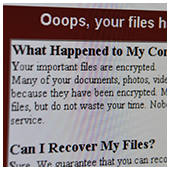
Ransomware has become increasingly common and hostile. It encrypts your computer files and holds them hostage until you’ve paid a fee for the decryption code. Because ransomware comes with sophisticated encryption, there aren’t many options unless you have backups of your data.

There are some tools that can protect against ransomware but we recommend that you backup your data and practice safe web browsing habits.

Worms

Similar to viruses, worms replicate themselves to widen the scope of their damage. However, worms don’t require human intervention to replicate themselves as they use security flaws to transmit from one computer to the next, making them far more dangerous than your typical virus. They often spread via email, sending emails to everyone in an infected user’s contact list, which was exactly the case with the ILOVEYOU worm that cost businesses approximately $5.5 billion worth of damage.

The easiest ways to protect your network from worms is to use a firewall to block external access to your computer network, and to be careful when clicking on unknown links in your email or unknown messages on social media.

Trojans

Usually downloaded from rogue websites, Trojans create digital backdoors that allow hackers to take control of your computer without your knowledge. They can steal your personal information, your files, or cause your computer to stop working. Sometimes hackers will use your computer as a proxy to conceal their identity or to send out spam.

To avoid trojan attacks, you should never open emails or download attachments from unknown senders. If you’re skeptical, use your antivirus software to scan every file first.

In order to keep malware at bay, you need to invest in security solutions with real-time protection and apply security best practices within your office. If you have any questions or concerns, or simply need advice on how to strengthen your business’s security, just give us a call and we’ll be happy to help.

Published with permission from TechAdvisory.org. Source.

Beware: Nyetya is worse than WannaCry

July 13, 2017 admin Security 2017july13security_c, cyber security, malware, microsoft, nyetya, ransomware, wannacry

The cyber community hasn’t fully recovered from the WannaCry ransomware attacks, which struck businesses and organizations in May. Now, a Petya ransomware variant named Nyetya is poised to join its ranks as one of the worst cyber attacks in history. Like WannaCry, its attackers exploited unpatched Microsoft vulnerabilities and demanded a $300 ransom in Bitcoins. But there are key differences between the two that are worth taking a look.

Worse than WannaCry

Nyetya is deemed worse than WannaCry mainly because it spreads laterally, meaning it targets computers within networks and affects even systems that have been patched. Because it also spreads internally, it needs to infect only one device to affect several others within a single network.

Cyber researchers trace its origins to a tax accounting software called MEDoc, which infected 12,500 systems in Ukraine. Since the initial infections in June, it has spread to thousands of networks in 64 countries. And although it hasn’t spread as fast as WannaCry, it might have a wider reach soon because it uses three attack pathways to infect a system. It hasn’t made as much money as WannaCry, which is why cyber researchers are concluding that the attacks are not economically motivated.

Don’t pay the ransom

Cyber security firms and researchers strongly recommend affected businesses to avoid paying the ransom. According to them, paying the ransom would be a waste since the infected user won’t be able to receive a decryption key to unlock their files or systems. This is because the email provider has blocked the email address on the ransomware message.

Although it operates like a ransomware — locking hard drives and files and demands a $300 ransom in Bitcoin — it functions more as a wiperware that aims to permanently wipe out data and/or destroy systems. So far, it has affected big-name multinationals in various industries, including Merck, Mondelez International, and AP Moller-Maersk, among others.

Perform backups and update outdated security patches

The only way businesses can be protected is by performing backups and staying on top of patch updates.

It’s safe to say that in case of a Nyetya attack, there’s no chance of getting back your data. In such a scenario, you would have only your backup files — whether on an external storage or in the cloud — to fall back on. But backing up is not enough; you should also ensure that your backups are working, which you can do by testing them regularly. Given the nature of Nyetya, you should also make sure that your backups are stored off-site and disconnected from your network.

Like its predecessor, Nyetya exploited vulnerabilities in unpatched Microsoft-run computers. As a business owner, make it a part of your cyber security routine to update your systems with the latest security patches, or risk having your files or systems permanently corrupted.

As a business owner whose operations’ lifeline depends on critical files, your backups are your insurance. If your systems’ network security needs another layer of protection, get in touch with us today.

Published with permission from TechAdvisory.org. Source.

‹ 1 2 3 4›»

Recent Posts

  • Can AI empower customer service agents?
  • Leave no room for hackers to operate
  • Keep your laptop from overheating

Recent Comments

    Archives

    • May 2018
    • April 2018
    • March 2018
    • February 2018
    • January 2018
    • December 2017
    • November 2017
    • October 2017
    • September 2017
    • August 2017
    • July 2017
    • June 2017
    • May 2017
    • April 2017
    • March 2017
    • February 2017
    • January 2017
    • December 2016
    • November 2016
    • October 2016
    • September 2016
    • August 2016
    • July 2016
    • June 2016
    • May 2016
    • April 2016
    • March 2016
    • February 2016
    • January 2016
    • December 2015
    • November 2015
    Brain Trust Technologies LLC

    6749 S. Westnedge Ave
    Suite K, #128
    Portage, MI 49002-3556

    Southwest Michigan: (269) 290-7137
    St. Louis: (314) 558-0623
    Toll Free: (877) 288-5527

    SMS Terms of Service | SMS Privacy Policy

    © 2025 Brain Trust Technologies, LLC. All Rights Reserved