

 Success is not just about putting in the hours, but also being adaptive and investing in the right tools to improve outputs. Keeping work confined to the office might have been adequate years ago, but not anymore. Today’s workforce is now more mobile than ever, which is why businesses are turning to remote access solutions. Amazon AppStream 2.0 is one such solution that has quickly gained traction, find out why.
What is it?
Initially released in 2013, Amazon AppStream was created as a platform for remote access to digital resources to help businesses streamline the costly process of managing apps on-premises. Simply put, it streams desktop apps to users across various devices via a browser.
Today, Amazon AppStream 2.0 has been updated with major improvements thanks to user feedback. Now, you can stream desktop applications from Amazon Web Services to any device running a web browser compatible with HTML 5.
What can you do with Amazon AppStream 2.0?
You can run desktop applications on any device, including Windows, Linux, Macs, and Chromebooks. Amazon AppStream 2.0 features multiple streaming options, including the General Purpose, Compute Optimized, and Memory Optimized.
Everything is fully managed by Amazon and all your applications and data will be kept on Amazon Web Services. This means you can expect robust security like network firewalls, web application firewalls, secure streaming gateway, encryption in transit across all services, and the ability to isolate your applications for secure delivery.
You’ll always have access to the latest version of your applications and minimize the risk of compromising confidential data if your device gets lost or stolen, as data is stored on Amazon’s cloud infrastructure.
What other benefits are there?
Apart from mobile access to documents and applications, you’ll appreciate the simple user interface that allows you to upload files to a session, access and edit them, and download them when you’re done.
What’s more, Amazon AppStream 2.0 uses NICE DCV for high-performance streaming. This ensures secure and fast access to applications since NICE DCV automatically adjusts to network conditions.
Amazon AppStream 2.0 also supports delivery of high performance graphics applications from Amazon Web Services. This allows you to stream powerful graphics applications to a web browser on any desktop.
Last but not least, this remote access solution lets you scale up or down as needed and pay only for the streaming instances you use, and a small monthly fee per authorized user. There’s no upfront capital or premises infrastructure maintenance costs.
If your business mainly consists of a remote workforce or is planning to adopt remote work policies, Amazon AppStream 2.0 is one solid option. For other tips on how small- and- medium-sized businesses can leverage technology to improve efficiency and lower costs, give us a call and we’ll be happy to advise.
 Do you still have old PCs and laptops lying around somewhere? If you’re thinking about finally trashing them, don’t! Despite being big, slow, and prone to crashes, you can still make good use out of your old computer.
 What do you call someone who hunts for security gaps in computer hardware and software? A hacker, right? What about someone who takes their findings to vendors to help them improve the quality of their products? There is more than one type of hacker, and understanding the difference is important.
 Building a rapport with customers has never been easier with customer relationship management (CRM) software. You can track contact information, buying preferences, and sales patterns. It’s a must-have for all sales and marketing teams. But if this is the first time you’re using CRM software, try adopting the following best practices.
 Increased productivity and constant collaboration are two of the main reasons why businesses have integrated a mobile policy into their business. This means an increased use of mobile devices such as smartphones and tablets in daily operations. But as the number of mobile users continues to grow, so does the number of cyber crime. Reduce your IT staff’s headaches by following these steps in protecting your mobile devices.
 When social media is used correctly, marketers can better understand their target audience and thus create better content and deliver it more effectively. This is vital since you’ll be able to send customers tailor-made content that helps increase conversion rates and sales revenue. Grow your business with social media with these four steps:
 Did you know that viruses, ransomware, spyware, and trojans are all categorized as types of malware? Having been around for decades, these cyber threats have grown both in number and intensity. Needless to say, it pays to know how each of them works as well as how to protect your business.
 For many businesses, applications like Google Drive are heaven-sent. They make managing files and photos much easier and safer than manually saving them in external disk drives. That said, backing up all files remains a burden to those who have files stored on several devices and can’t seem to transfer these files onto Google Drive or any other cloud platform. Luckily, Google came up with a viable solution to this problem.
 Just a few years ago, smart appliances seemed like novelty products for rich business owners. Now, the Internet of Things (IoT) has become a viable solution for putting your business ahead of the curve. But whether it’s a smart fridge or a surveillance camera that connects to your phone, IoT devices should be treated and secured just like any computer in a network.
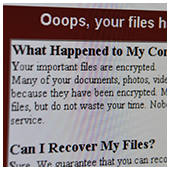 The cyber community hasn’t fully recovered from the WannaCry ransomware attacks, which struck businesses and organizations in May. Now, a Petya ransomware variant named Nyetya is poised to join its ranks as one of the worst cyber attacks in history. Like WannaCry, its attackers exploited unpatched Microsoft vulnerabilities and demanded a $300 ransom in Bitcoins. But there are key differences between the two that are worth taking a look.